Virtual Card Step by Step
If you are being paid via Virtual Card (or VC) you will receive an email similar to the example below:
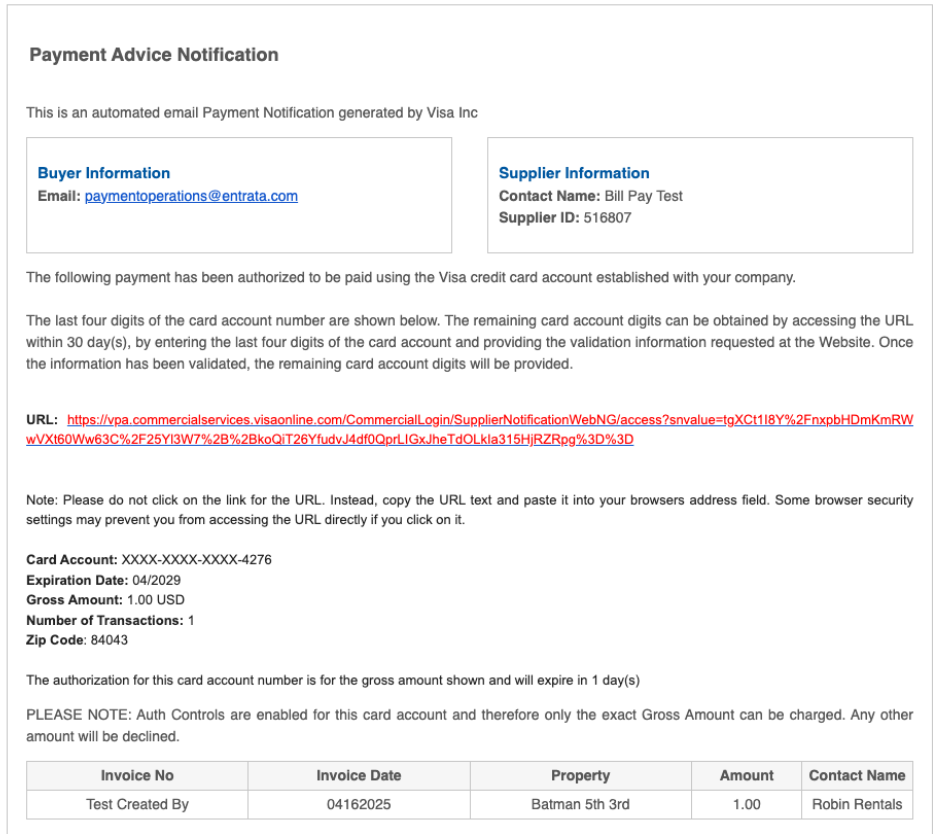
After clicking on the URL link in the email, you will need to answer two security questions in order to access the virtual card (example below):
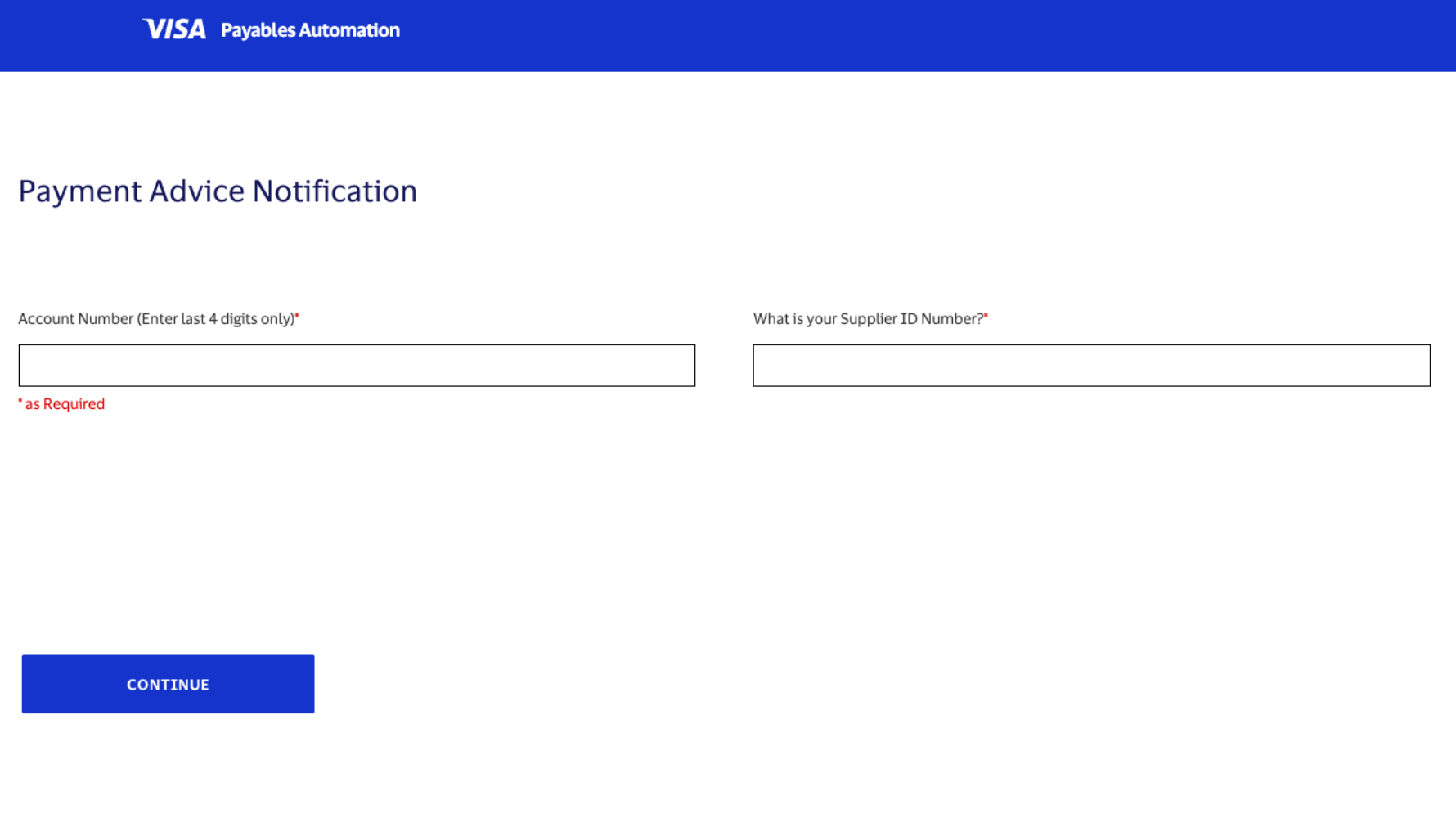
Once you've answered the security questions correctly you will see the credit card information for processing.
How do you process a Virtual credit card? Using your existing credit card processing solution. Just type in or copy/paste the information to your credit card processor and charge for the amount on your invoice. Then the funds are available just like a regular payment.